

Infrastructure Components
Create, manage, and customize your Infrastructure Catalog the same way as Components.
Checks/Maturity on Infrastructure is currently in Beta. This feature is dependent on having Checks/Maturity on Infrastructure enabled on your account. If you wish to gain access to Checks/Maturity on Infrastructure, contact your support representative directly or email us at [email protected].
If you aren't an OpsLevel customer yet, book a demo .
Infrastructure has now been migrated to work very similarly to your other Components in OpsLevel. This unlocks many new abilities such as, Custom Properties, Customizable UX, Maturity, enhanced Filtering, among other things. To get startd with Infrastructure as Component, ensure that Checks/Maturity on Infrastructure is enabled on your account and follow the instructions for integrating with your infrastructure provider.
Viewing / Customizing Infrastructure Component Types
Infrastructure Components in OpsLevel belong to their own category and new Infrastructure Component Types can be added from the Customization menu in OpsLevel. Note: Infrastructure Component Types are added automatically after integrating with your Infrastructure Provider.
Navigate to Settings -> Customization
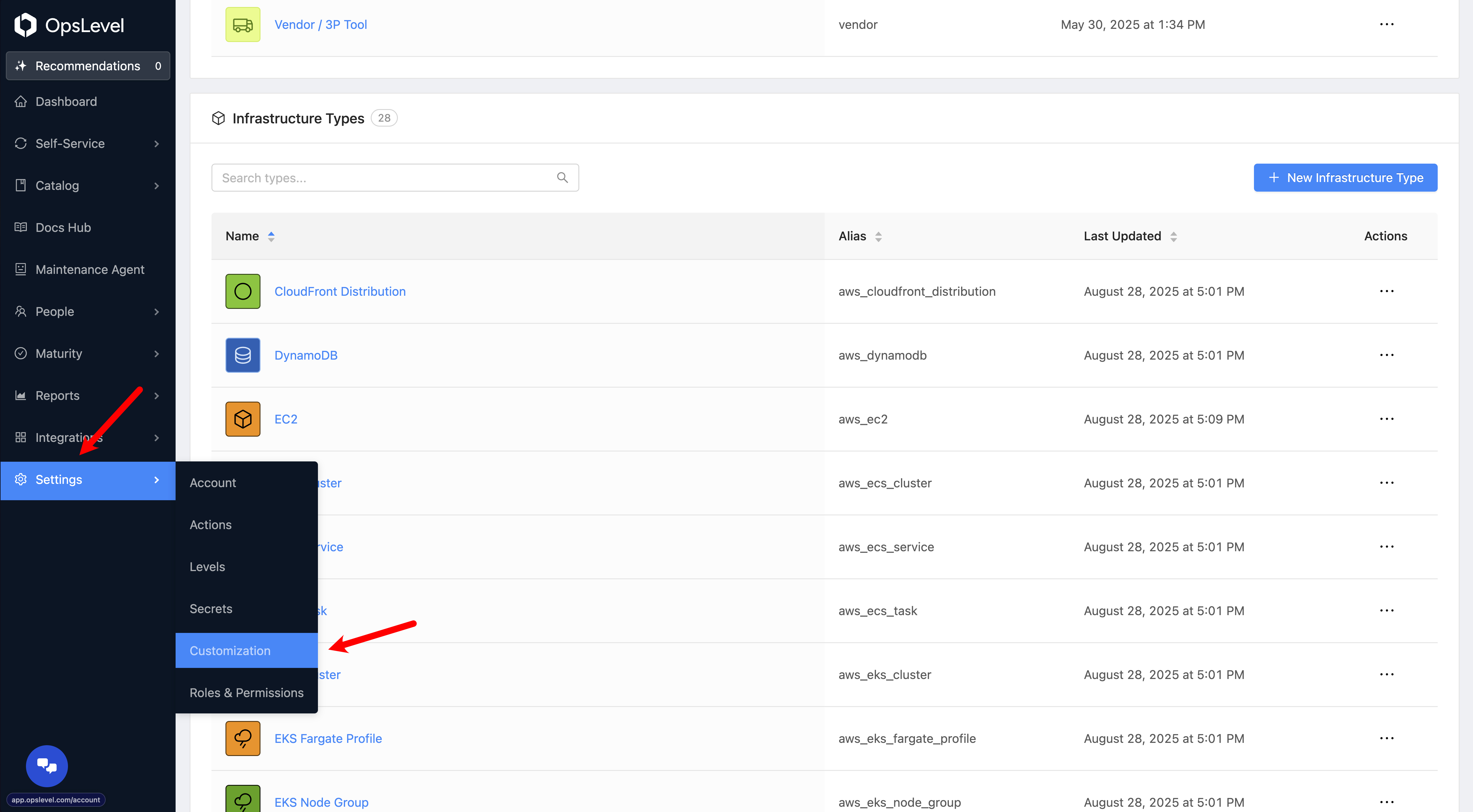
Here you will see a separate Infrastructure Components card where you can view, manage, and add new infrastructure Component Types.
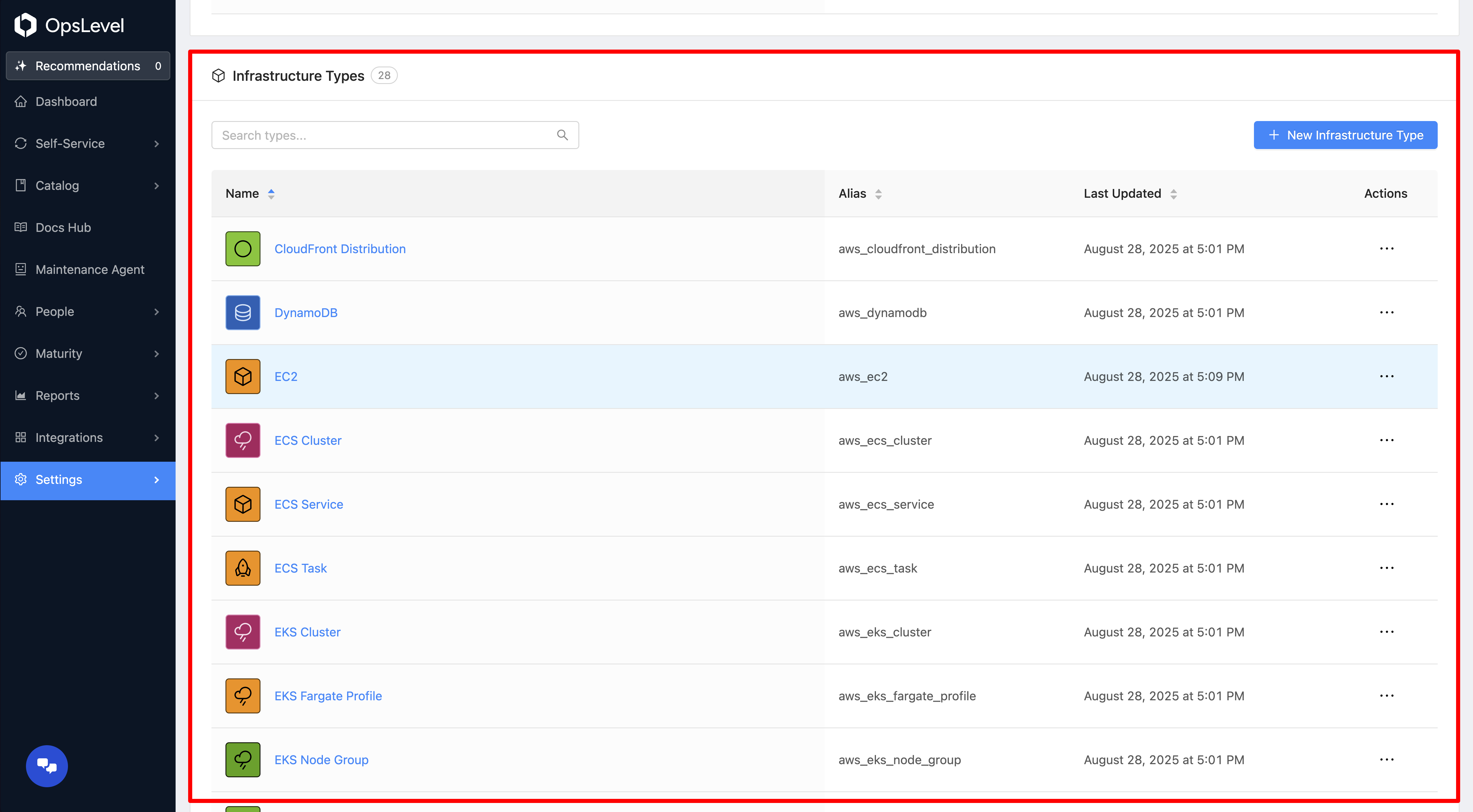
Customizing Infrastructure Component types is done very similarly to Customizing Default Component types.
Viewing Infrastructure Components
You can view your Infrastructure Catalog from the Infrastructure page. From the OpsLevel sidebar navigate to Catalog -> Infrastructure .
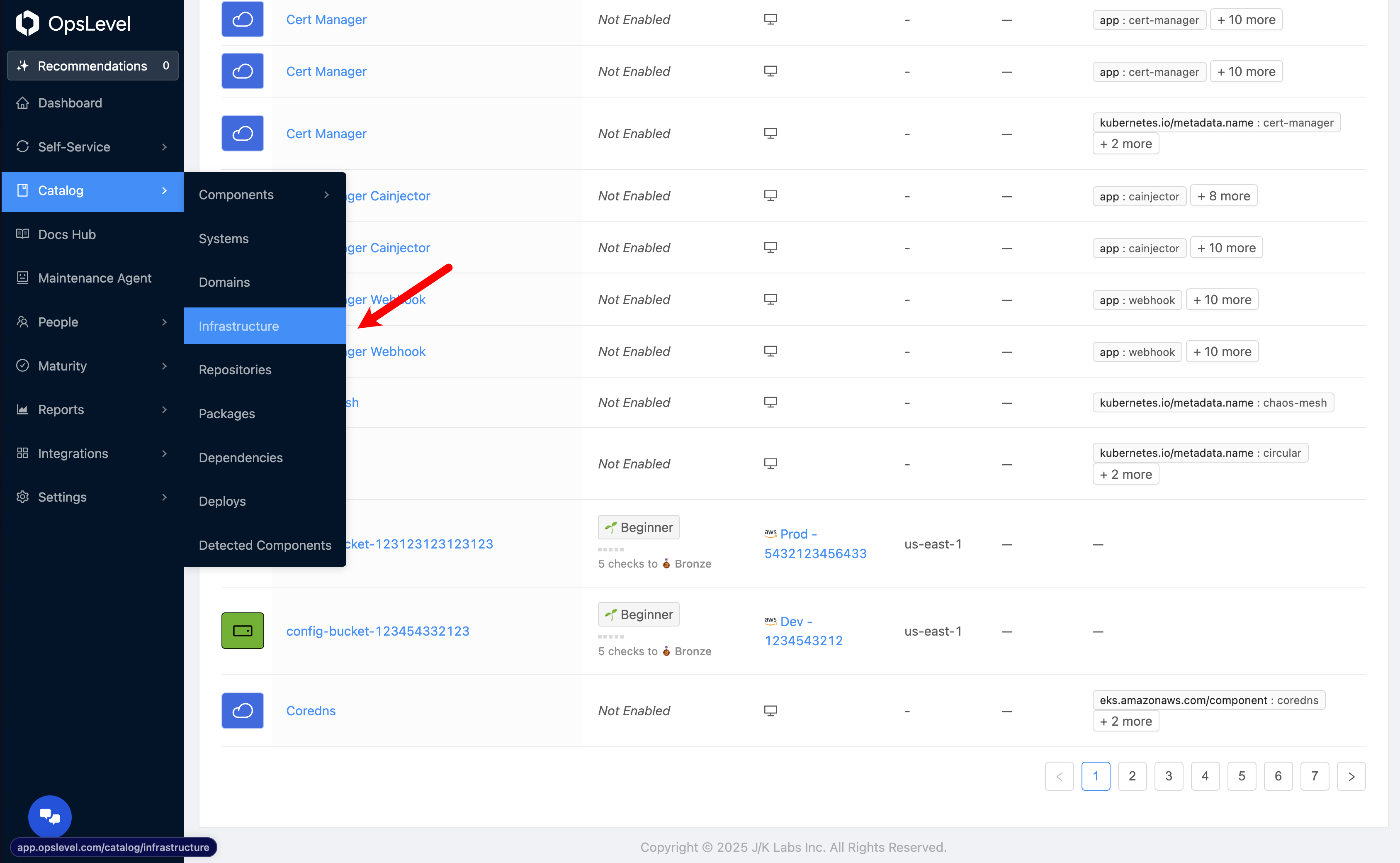
From here you can see all of your Infrastructure Components. You can filter this table similarly to other Components in OpsLevel. Press on the Filter button to begin filtering your Infrastructure Components.
Maturity on Infrastructure
Creating Checks and driving Maturity against your Infrastructure Components is done very similarly to your other Component Types. You can use the Rubric, Scorecards, or Campaigns to get started.
Important
By default, Maturity is disabled on your Infrastructure Components. You have to enable Maturity on Infrastructure components to get started.
Enabling Maturity on Infrastructure Component Types
Before enabling Maturity on Infrastructure, ensure your filters are set up correctly to avoid any major changes to your overall Maturity levels/reports.
To enable Maturity on Infrastructure Component Types, navigate to Settings -> Customization.
Navigate to the Infrastructure Component Type you wish to enable Maturity on.
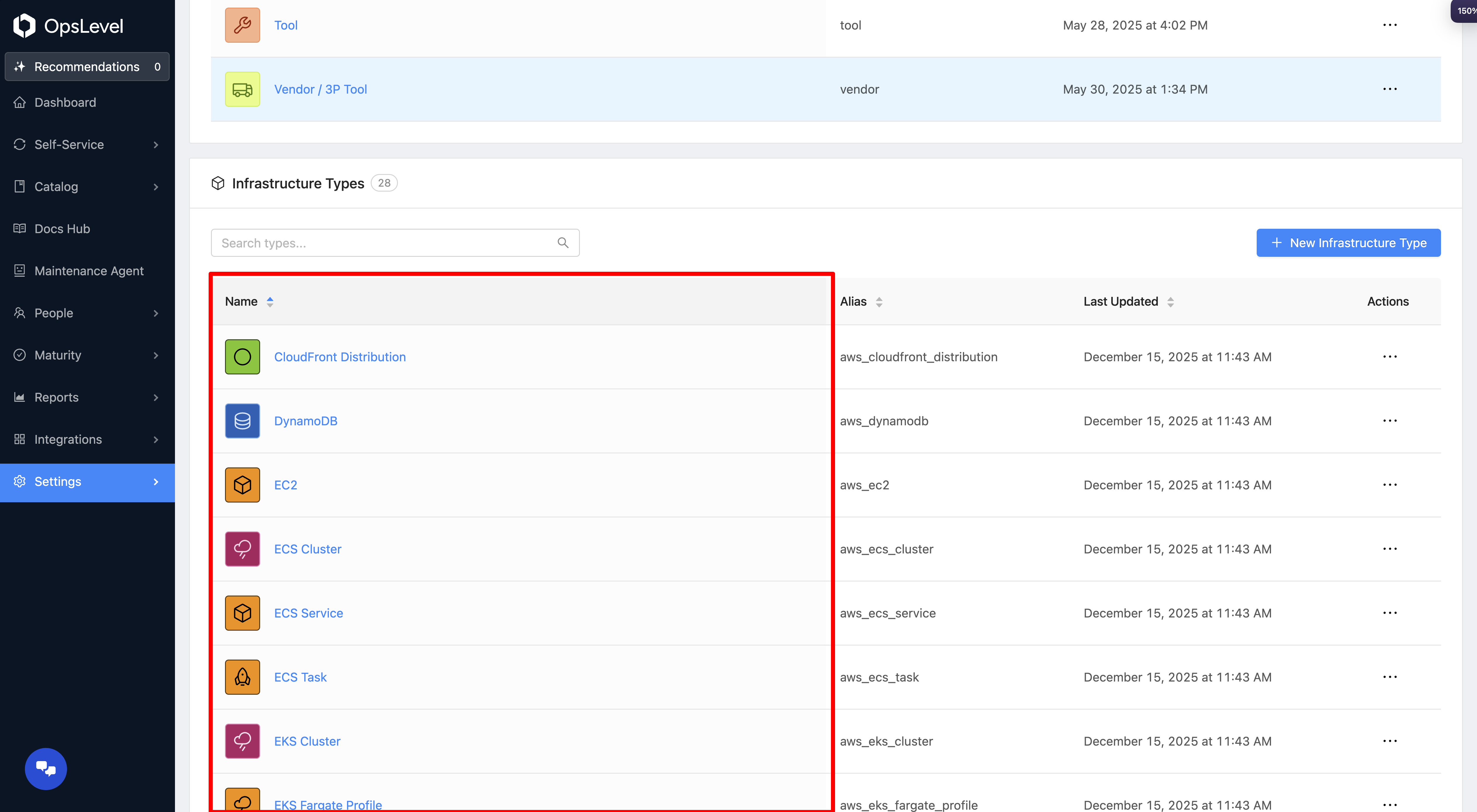
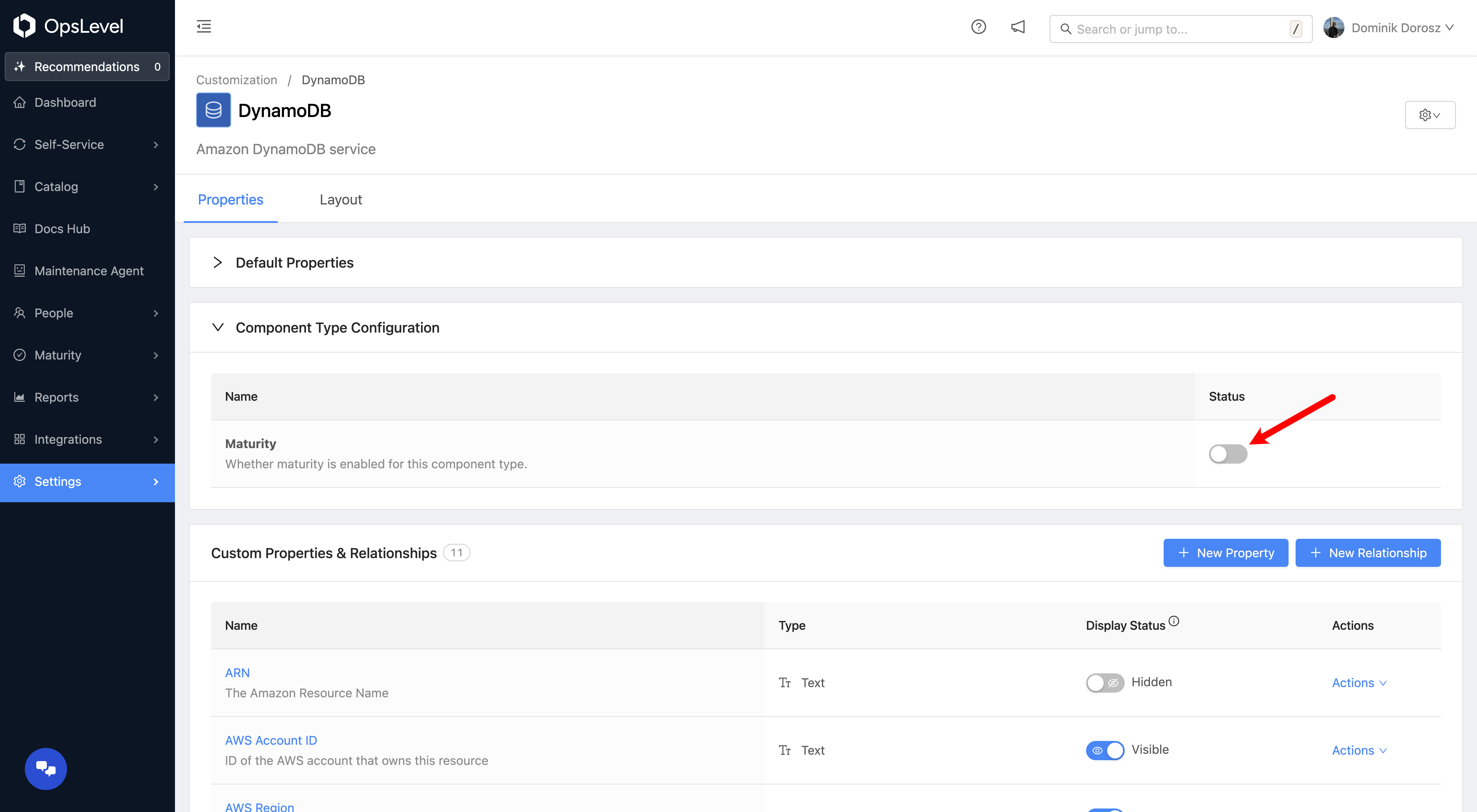
From the Component Type Configuration card, enable the Maturity Status toggle.
Getting Started With Checks / Scorecards on Infrastructure
After integrating with your Infrastructure provider, there will be many new Component Types registered in your catalog. We've made it easy to get started with Maturity by adding Scorecard Templates for you to use.
To get started with Scorecard Templates, follow the steps in Scorecards to create a scorecard.
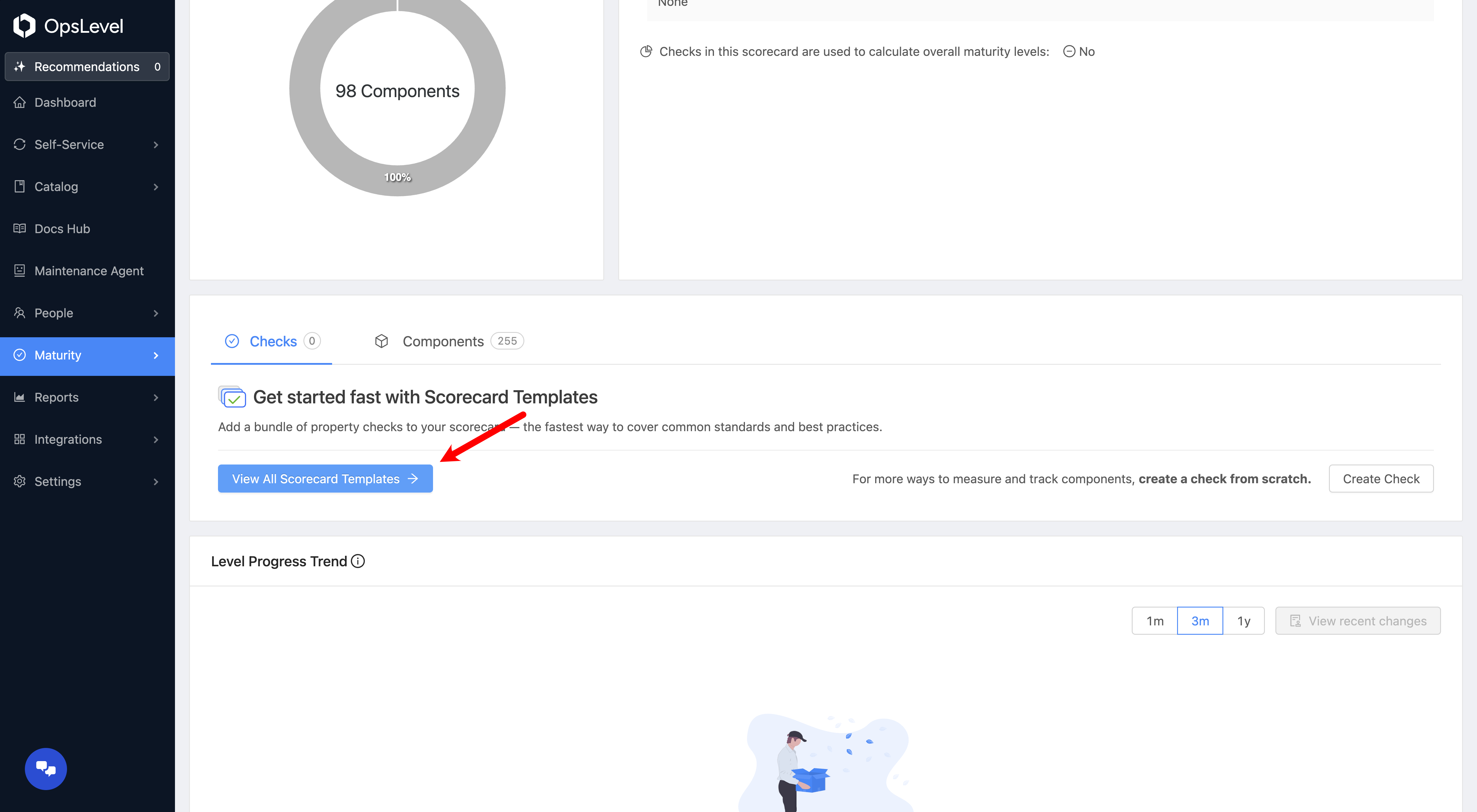
Once you've created a scorecard, you can quickly add checks by pressing the View All Scorecard Templates button.
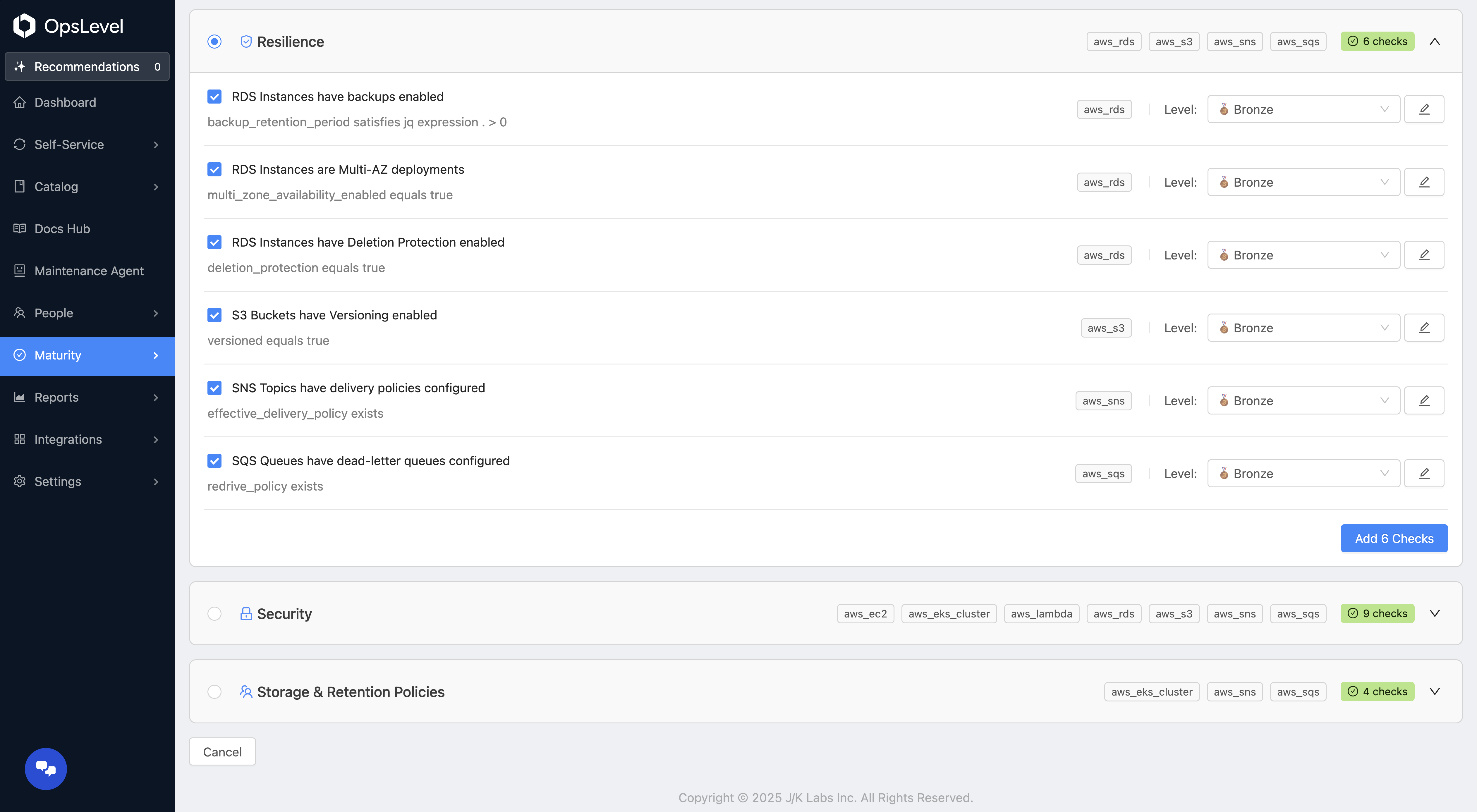
From the next page, you'll see checks grouped by certain categories that will allow you to quickly create multiple checks at once.
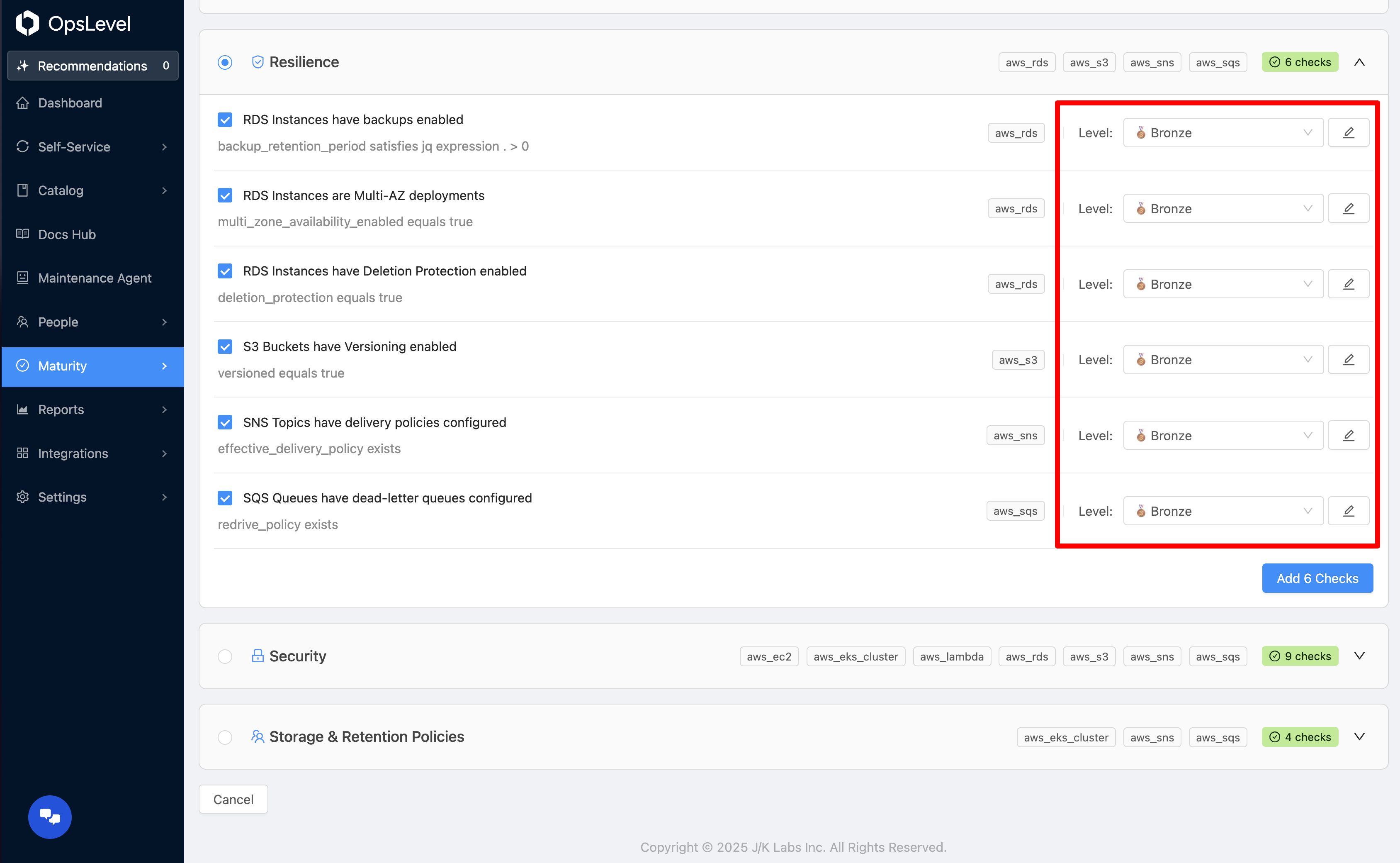
Before creating checks, you can edit which level they belong to, the parameters they're checking along with other check properties.
Updated 3 months ago